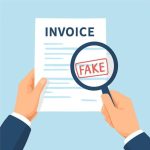
Recognizing the Signs of a Fake PDF and Common Manipulation Techniques
A deceptively simple document can hide sophisticated tampering. Attackers often rely on subtle edits, image swaps, and metadata manipulation to create a believable but fraudulent file. Learn to spot visual inconsistencies like mismatched fonts, uneven spacing, or logos that look compressed or pixelated compared with other official materials. These are often the first visual indicators that a PDF has been altered.
Beyond the visible layer, inspect the document’s structure. Many fake files are assembled from multiple sources: copied text, pasted images, and inserted pages from other documents. These mixed-origin PDFs can contain inconsistent page sizes, differing margins, or unusual page-ordering. Pay attention to embedded fonts and missing font subsets—if a PDF substitutes a default font for an official one, numbers and symbols may shift or misalign.
Check metadata for contradictions. Genuine PDFs typically include consistent creation and modification dates that align with business activity; suspicious files may show recent modification dates with creation dates older than expected, or contain author names that don’t match known personnel. Although metadata can be stripped or forged, anomalies often remain. Also be wary of suspicious file properties like unusual software producers or non-standard revision histories.
Another manipulation tactic is the use of layered content. Fraudsters may place an authentic-seeming text layer over a tampered image (or vice versa) so that casual viewers see correct content while embedded data differs. Use PDF viewers that allow toggling layers or extracting text to detect discrepancies between visible text and embedded text streams. When possible, extract text and compare it programmatically to expected values for invoice numbers, totals, or account details to find mismatches that are invisible to the eye.
Practical Checks to Detect Fraud in PDF Documents: Invoices and Receipts
Invoices and receipts are frequent targets for fraud because they directly impact payments. Start with basic verification: confirm vendor contact information, cross-check invoice numbers against your accounts payable system, and verify that line-item descriptions match known services or products. Simple mismatches—like an unexpected tax rate or unfamiliar bank account—can signal manipulation.
Examine monetary figures with care. Rounding inconsistencies, mismatched totals, or swapped digits are common tricks. Compare subtotals, taxes, and grand totals to ensure arithmetic accuracy. Pay attention to currency symbols and formatting; fraudsters sometimes change the decimal separator or currency code to alter value without obvious visual change.
Authentication marks and security features are important. Many companies include unique invoice identifiers, QR codes, or digital signatures. If a digital signature is present, validate it through your PDF reader or certificate authority. Lack of a signature where one is normally expected, or a signature that fails validation, strongly suggests tampering. Also scrutinize QR codes and barcodes—scan them with a trusted device to ensure they route to legitimate vendor pages and do not redirect to phishing destinations.
When a document raises suspicion, perform an out-of-band verification. Contact the vendor using contact information from a verified source (company website, prior invoices, or supplier directory), not the details on the suspicious PDF. If possible, request a separate copy via the vendor’s known channels. This step helps confirm whether the document is authentic or a cleverly crafted forgery.
Tools, Techniques and Real-World Examples for Detecting Fraud PDF and Related Scams
Modern detection relies on a mix of manual inspection and automated tools. Start with PDF viewers that show document properties, extract text layers, and validate digital signatures. For a deeper analysis, use forensic tools that compare file hashes, inspect embedded objects, and reveal hidden layers or scripts. Automated services can flag anomalies in fonts, metadata, and structure, accelerating the review of large volumes of documents.
Case studies reveal recurring patterns. In one notable invoice fraud ring, perpetrators replaced legitimate bank details with accounts under their control while maintaining authentic-looking header information. Financial teams that relied solely on visual inspection paid out large sums. Organizations that implemented a verification protocol—cross-checking account details via known vendor channels and validating document signatures—thwarted subsequent attempts.
Another real-world example involved fake receipts used to claim reimbursements. Fraudsters edited legitimate receipt images to change amounts and dates, then embedded those images in seemingly authentic PDFs. Expense auditors who extracted embedded images and compared EXIF metadata found inconsistencies that proved tampering. These cases underline the value of extracting and analyzing embedded assets, not just reading visible text.
To streamline detection at scale, consider integrating specialized services into workflows. For instance, tools that automatically detect fraud in pdf can scan for metadata anomalies, validate signatures, and compare document structure against known-good templates. Combining such tools with employee training, strict approval processes for invoice and expense payments, and routine audits builds a strong defense against document fraud.
I siti scommesse sono ormai ecosistemi complessi dove sicurezza, qualità delle quote, ampiezza dei mercati e strumenti avanzati definiscono l’esperienza…